
WaveBuddy_
See Your Sound. Shape Your Story. v2.1
// The audio & video editor that makes editing fun.
// Perfect for podcasters, bloggers & vloggers.
// Multi-track timeline. Video editing. AI transcription.
// Record screen, webcam & audio. Repeat recordings instantly.
// Export with embedded workspace for complete project recovery.
// Native macOS. Fast. Private. No subscription.

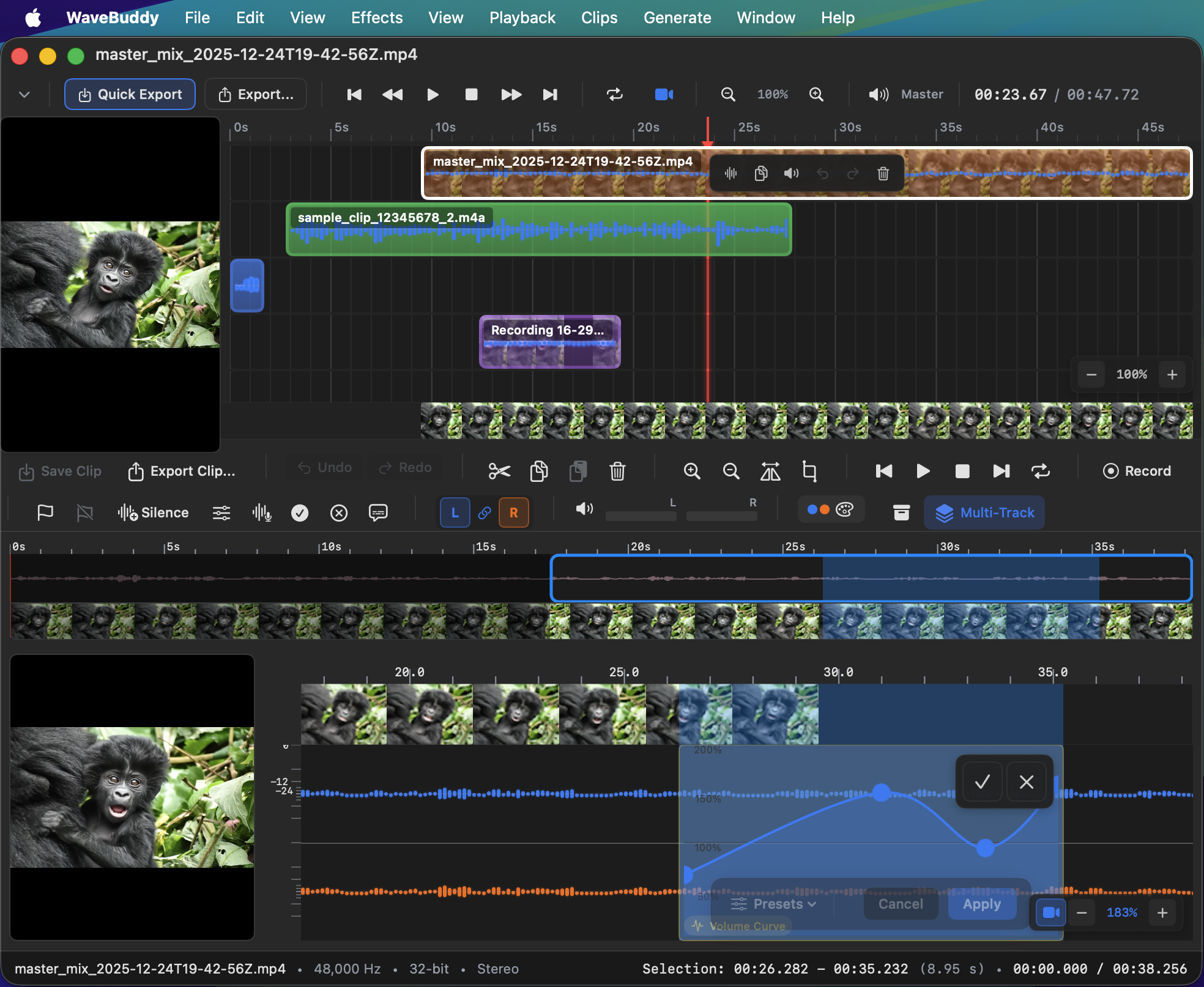
multitrack-timeline
Arrange audio & video clips on multiple tracks
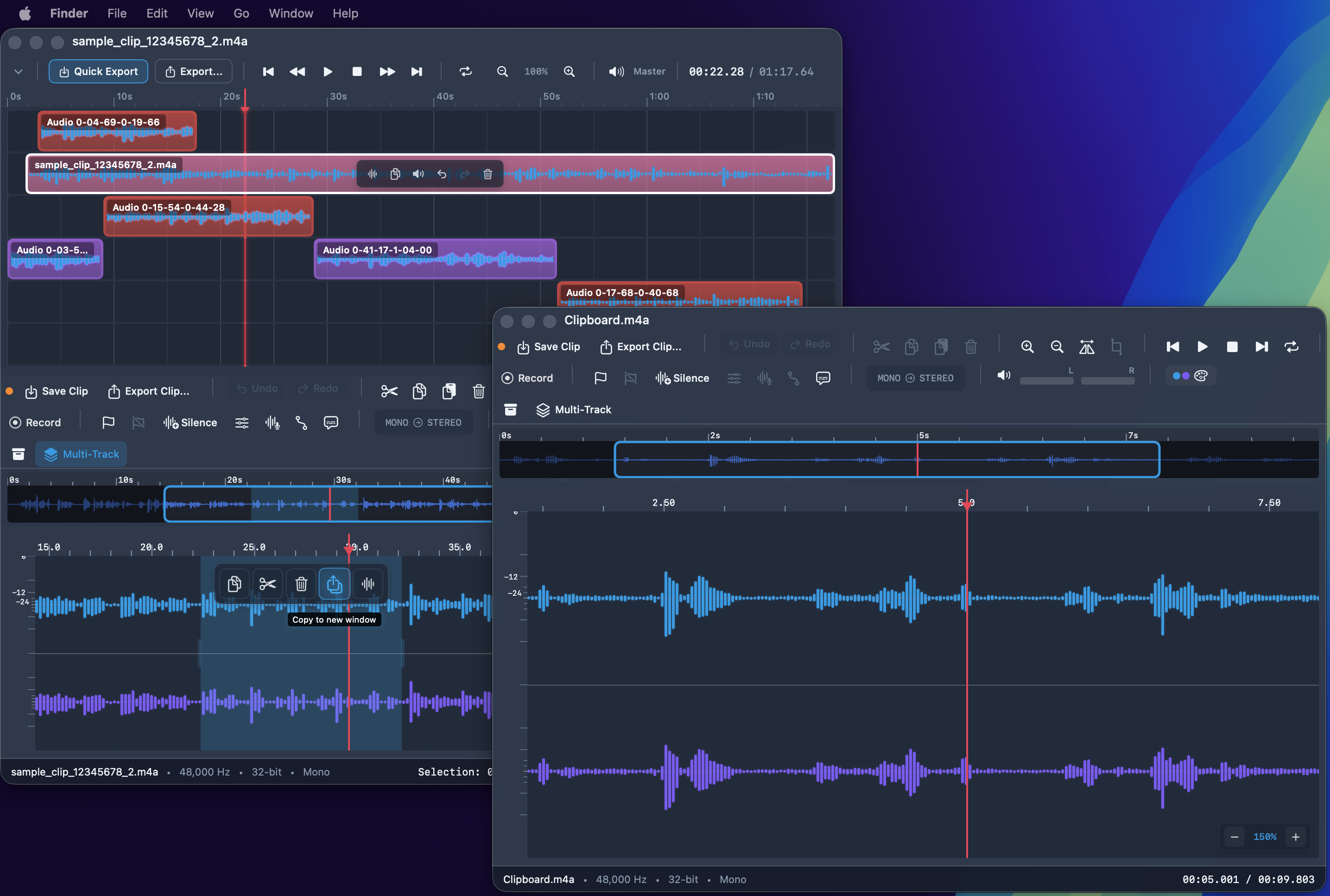
multi-window
Multi-track timeline with drag & drop
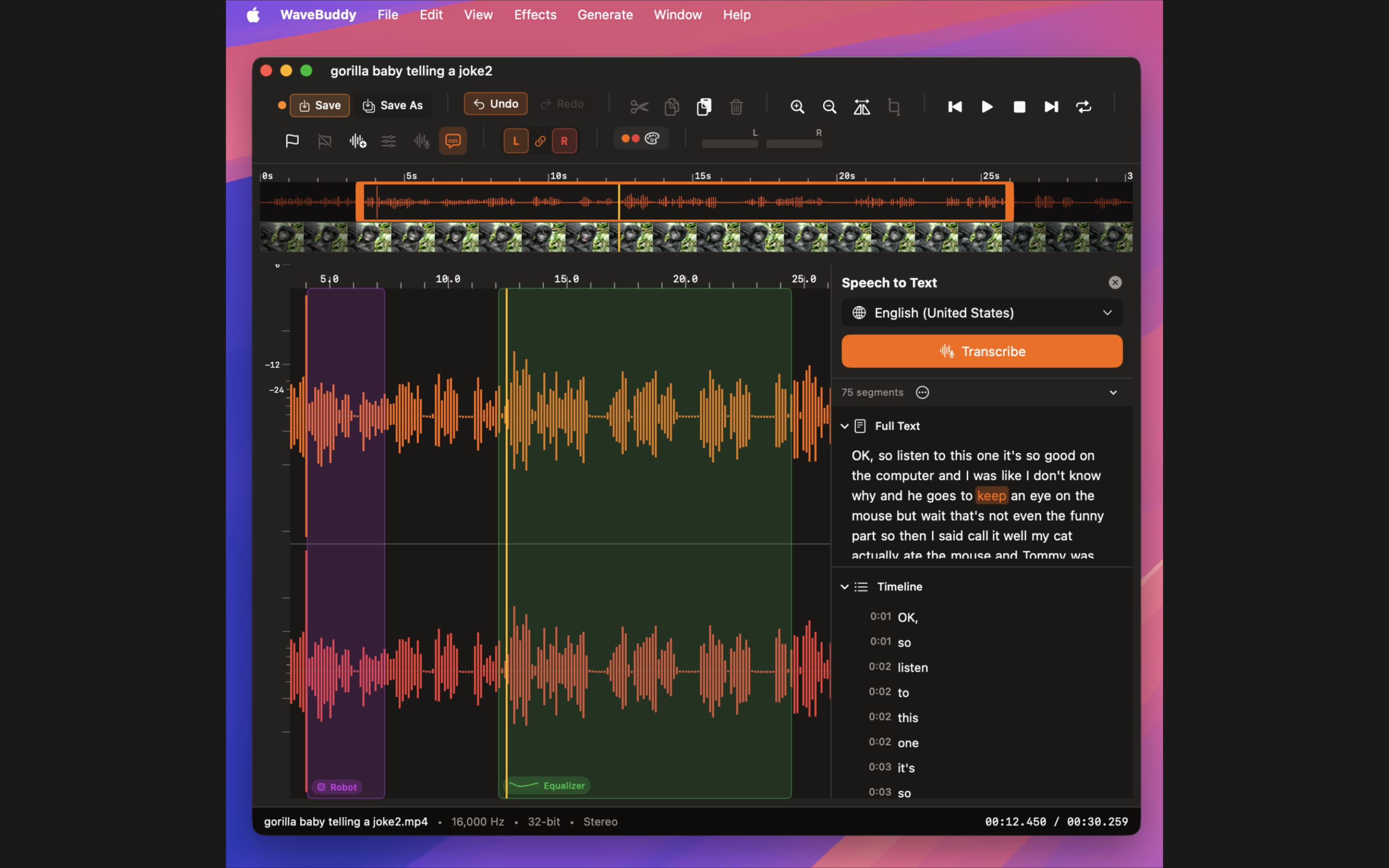
speech-to-text
Multi-lingual AI transcription for audio & video with word-to-timeline linking
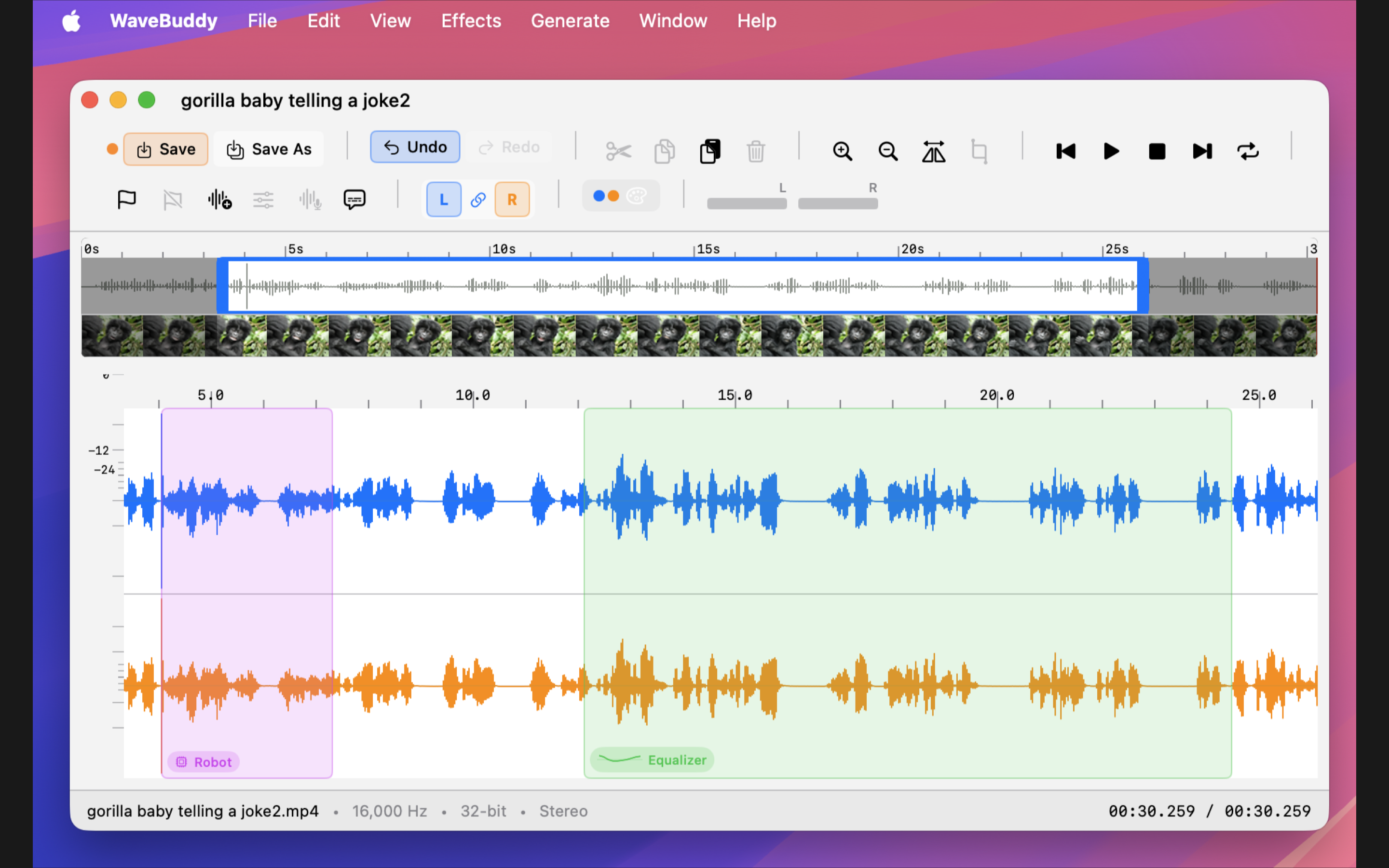
video-editing
Edit video with visual waveforms
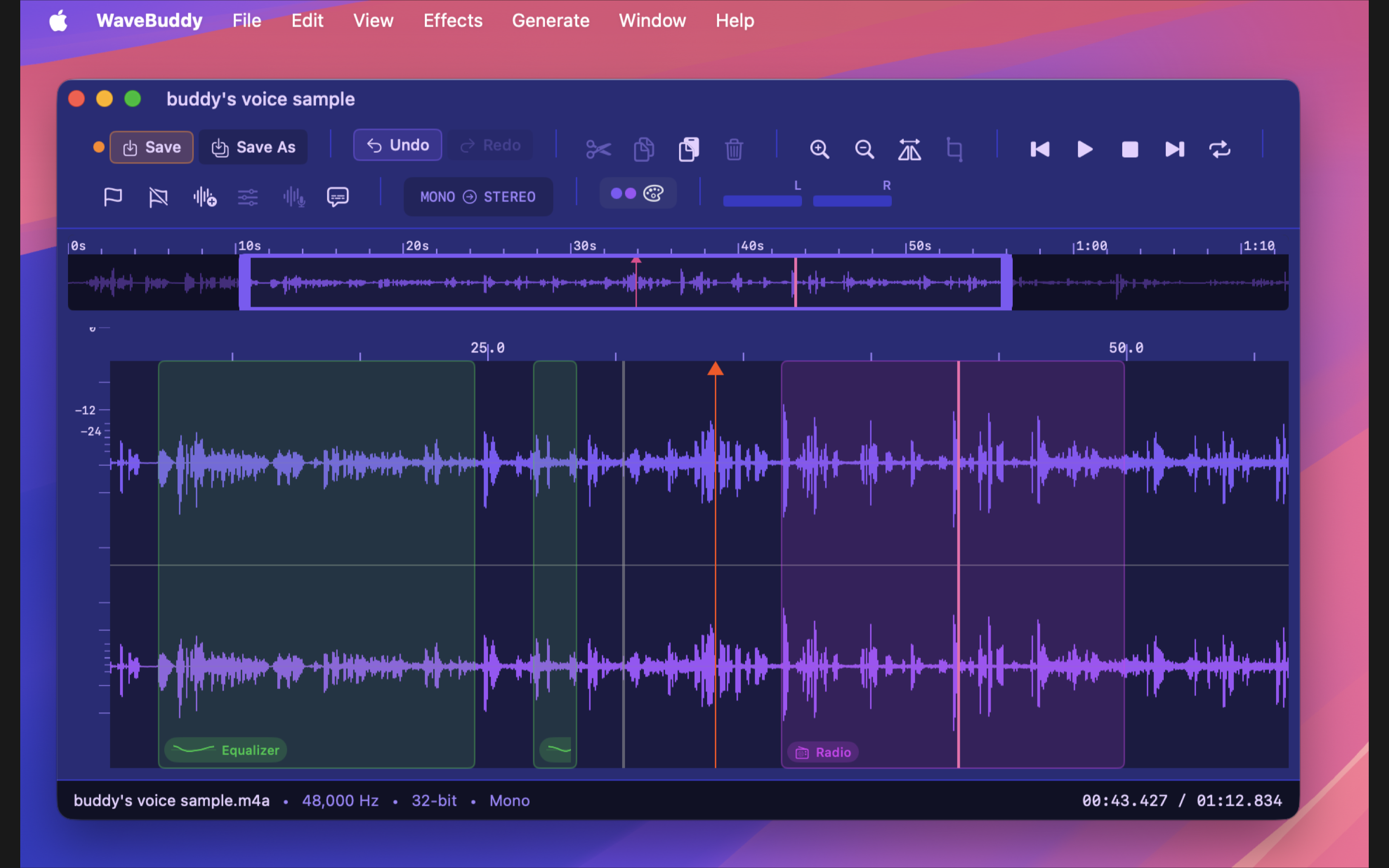
edited-regions
Visual edit tracking with undo
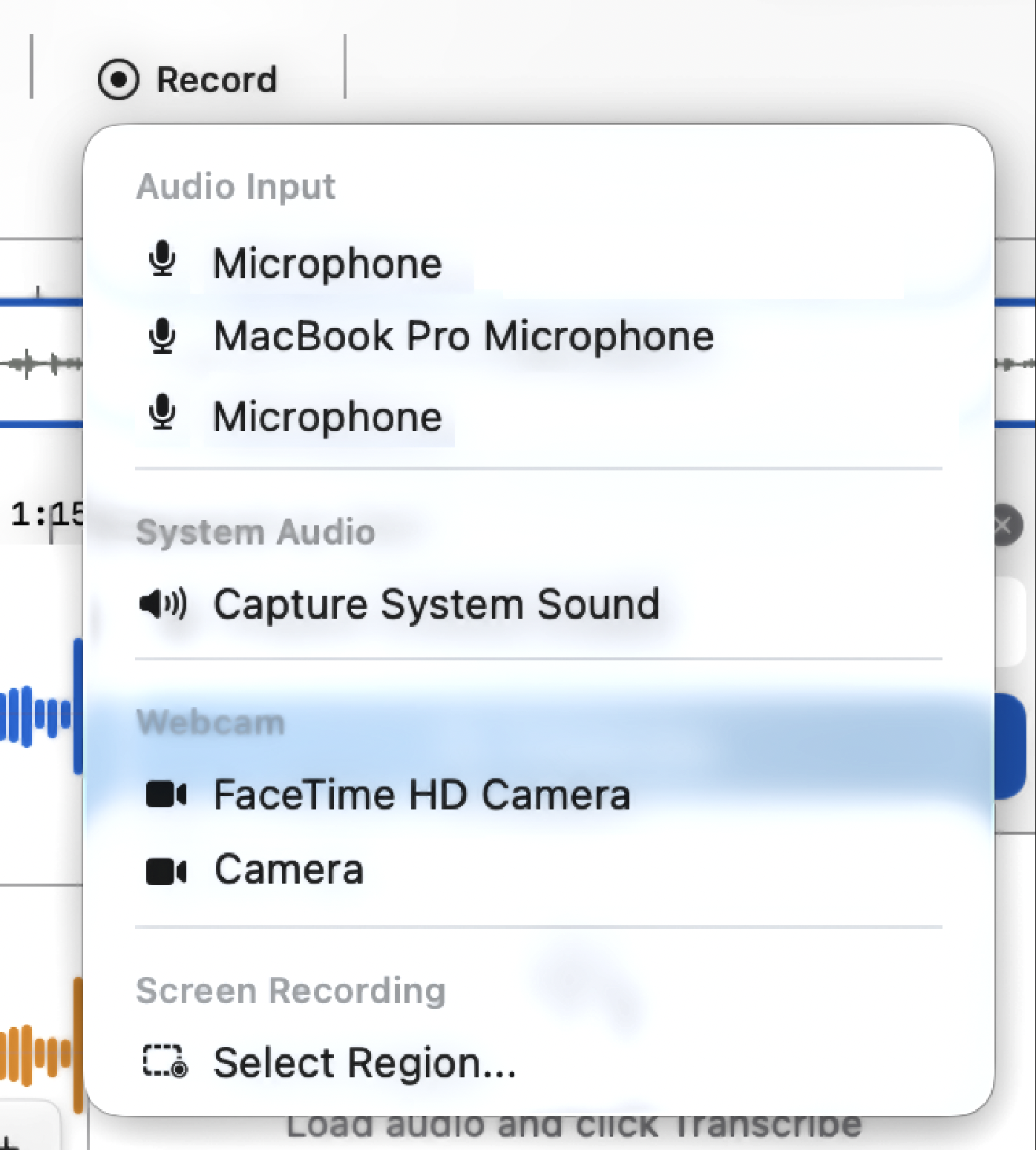
recording-inputs
Mic, system audio, webcam & screen recording. Repeat with same parameters.
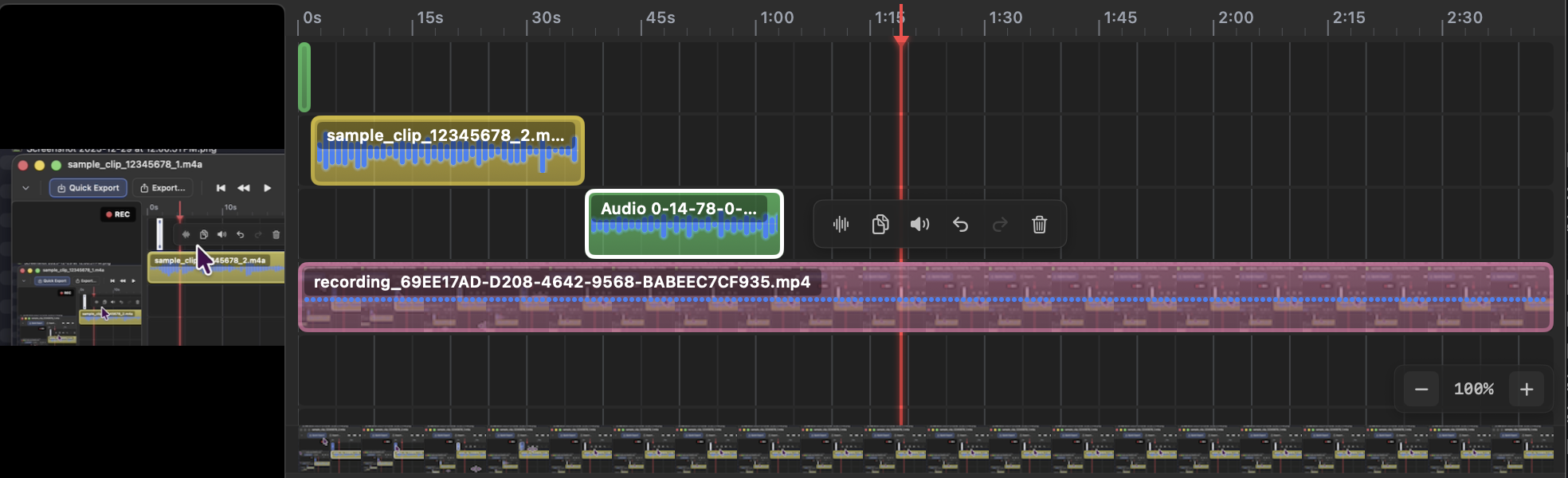
clips-and-screen-recording
Multi-track timeline with audio clips, screen recording & video with thumbnail strips
Live Audio Recording
Record from microphone or system audio with real-time waveform preview. Clips appear instantly on timeline. Perfect for podcasters.
Screen & Desktop Recording
Capture full screen or select a region. Uses ScreenCaptureKit for high-quality desktop recording with audio. Ideal for tutorials and demos.
Video & Webcam Recording
Record directly from your webcam or FaceTime camera. Great for vloggers, video bloggers, and content creators.
Repeat Recording
Quickly repeat any recording with the same parameters. No need to reconfigure your mic, screen region, or webcam settings each time.
Multi-Track Editing
Arrange multiple audio and video clips on separate tracks. Drag, trim, copy/paste with ghost previews.
Video Thumbnail Strips
Video clips display thumbnails as background with scrub zoom effect. Thumbnails scale up near playhead.
Clip Snapping
Yellow guide lines show snap targets. 15px threshold for precise clip alignment.
Timeline Zoom
Pinch to zoom, Option+Scroll or ⌥⌘+/-. Smart time ruler adapts to zoom level.
Keyboard Clip Control
Arrow keys move clips between tracks and timeline. ⌘C/⌘V to copy/paste at playhead.
Waveform Visualization
Stunning waveform displays with filled or line styles. Choose from 12+ color themes.
Edited Region Overlays
Visual tracking of all edits with colored overlays. Hover for undo button and quick actions.
Selection Actions
Floating toolbar on selection with Copy, Cut, Delete, Copy to New Window buttons.
10-Band Equalizer
Full parametric EQ with Catmull-Rom response curve. Presets: Voice, Podcast, Loudness, Rock, Jazz, Classical, Electronic.
Voice Effects
8 effects: Robot (STFT phase vocoder), Chipmunk, Deep Voice, Echo, Radio, Underwater, Megaphone, Whisper. Level-matched output.
Normalize & Amplify
Automatic loudness normalization or manual gain adjustment with real-time preview.
Speech to Text
Multi-lingual on-device AI transcription for both audio and video. Each word is linked to the timeline for instant navigation. Uses Apple's Speech framework - fast, private, no internet required.
Unified Video Player
Single video preview works for both Master timeline and Editor. Scrubs to current time for instant preview.
Multi-Track Video Export
Export master mix as MP4/MOV. Gaps render as black frames. Supports multiple video clips at different positions.
12+ Color Themes
Classic, Ocean, Sunset, Forest, Neon, Midnight, Cloud, Glass, Sakura, Orchid, Crimson, and more.
Background Transparency
Adjustable UI transparency from 30% to 100%. Glass theme looks great with see-through effect.
Native macOS
Built with SwiftUI for fast, responsive experience. Feels right at home on your Mac.
Click Record Button
Click the Record button in the toolbar or use the menu to open recording options.
Select Screen Recording
Choose "Select Region..." to capture a specific area, or select your display for full screen recording.
Choose Audio Source
Select microphone for voiceover, system audio to capture app sounds, or both for complete recordings.
Start Recording
Click Record to begin. Your recording appears instantly on the timeline when you stop.
Repeat Recording
Use "Repeat Recording" to record again with the same screen region and audio settings. Perfect for multiple takes.
Select Webcam
Choose your FaceTime HD Camera or external webcam from the recording options menu.
Add Microphone
Select your preferred microphone for audio. Great for vlogs, video blogs, and talking head videos.
Record & Edit
Record your video, then trim, cut, and arrange clips on the multi-track timeline. Add audio tracks for music or effects.
Export Clip... ⌘⇧E
Creates a new file. Original source is never modified. Choose format, sample rate, channels, and normalization.
Quick Export ⌥⌘S
Fast export of master mix to new file. Auto-generates filename with timestamp. WAV for audio, MP4 for video.
Export Master... ⌥⇧⌘E
Full export options for multi-track mix. Option to embed recoverable project data.
Save Clip ⌘S
Overwrites the original source file. Shows confirmation dialog. Use only when you want to update the original.
Embedded Project Data
Export master mix with "Recoverable" option to embed original clip audio. File plays normally but WaveBuddy can restore the full project.
Auto Recovery on Import
Opening a file with embedded data automatically recovers the project. Hold ⌘ while dragging to show recovery dialog.
Self-Contained Archives
No original files needed. Each clip's audio is compressed (zlib + base64) and stored in MP4, M4A, MOV, WAV, AIFF, or FLAC.
⌘Z / ⇧⌘Z
Unified undo/redo for waveform edits and clip movements
⌘C / ⌘V
Copy/paste clips at playhead position
⌥⌘E / ⌥⌘V
Open Equalizer / Voice Effects
⌥⌘+ / ⌥⌘- / ⌥⌘0
Zoom in / Zoom out / Zoom to fit
↑↓←→ / ⇧←→
Move clips between tracks/timeline, Shift for 1s steps
// (c) 2025 Emilio Nicoli. All rights reserved.